Phone:
(701)814-6992
Physical address:
6296 Donnelly Plaza
Ratkeville, Bahamas.

Phone:
(701)814-6992
Physical address:
6296 Donnelly Plaza
Ratkeville, Bahamas.
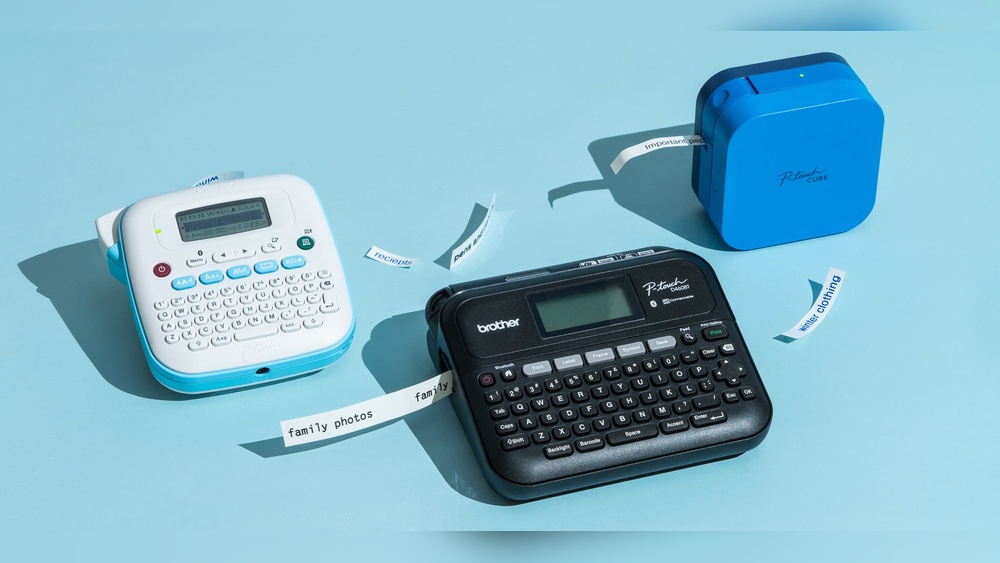
If you’ve ever wished your home or office was more organized, you’ve probably thought about a label maker. These handy devices help you create custom labels for files, cables, jars, shelves, and more. But with so many options on Amazon, choosing the right label maker can be confusing. This review covers one of the top-rated choices on Amazon: the Brother P-touch PT-D210. You’ll learn about its features, real-world use, pros and cons, customer opinions, and how it compares to similar products. By the end, you’ll know if this label maker is the right fit for you or if you should keep looking.
The Brother P-touch PT-D210 is a compact, easy-to-use label maker designed for home and office use. It prints durable labels in various sizes and styles. With a QWERTY keyboard and a simple screen, even beginners can start labeling within minutes. You don’t need to connect it to a computer or download any apps. Just pop in the batteries, load the tape, and you’re ready.
This label maker is light enough to carry from room to room, making it convenient for organizing at your desk, in the kitchen, or even in a classroom. The solid build means it doesn’t feel flimsy, and the buttons are large enough for most adult hands.
It runs on 6 AAA batteries, so you can use it anywhere, or you can buy an optional AC adapter for desktop use to save on battery costs.
| Specification | Details |
|---|---|
| Brand | Brother |
| Model | PT-D210 |
| Label Width | Up to 12mm (0.47 in) |
| Power | 6 AAA batteries or AC adapter |
| Weight | 1.1 lbs |
| Screen | 1-line, 12 characters |
One detail many overlook: the PT-D210 can also print vertical text, which is useful for labeling the spines of binders or slim containers.
People use the PT-D210 for many purposes:
For example, teachers use it to label student cubbies, while parents use it for lunch boxes. Its small size means you can keep it in a drawer and take it anywhere. Home crafters make personalized gift tags or scrapbook titles.
Some people even use it for gardening, labeling plant pots with names or care instructions.
A practical tip: The laminated labels stick well to plastic, glass, and metal, so they’re great for labeling food containers that go in the fridge or freezer. If you have a messy cable drawer, you can make slim, readable tags for each charger or device. The strong adhesive means labels won’t peel off easily, even with frequent handling.
A non-obvious benefit: The memory feature can store different labels for different rooms, so you don’t have to retype common words.
Another detail: The label cutter is manual, not automatic, so you need to press a button to cut each label.
It’s also good for crafters, DIY fans, and anyone who likes things neat but doesn’t want to mess with apps or Bluetooth.
If you want to print barcodes, use special fonts, or connect to a database, you’ll need a more advanced label maker.
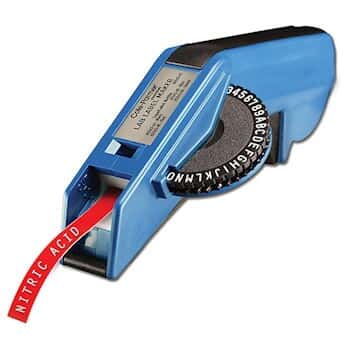
Credit: www.coleparmer.com
When choosing a label maker, consider:
One common mistake is buying a label maker that only supports narrow labels or doesn’t use durable tape. Always check tape compatibility before buying.
Another tip: Consider how often you’ll print labels. If you need hundreds per week, a higher-end model may save time and money in the long run.
On Amazon, the PT-D210 has over 10,000 ratings, averaging 4.6 out of 5 stars. Most users praise its reliability and ease of use. Negative reviews mostly mention the cost of tape refills and the lack of advanced features.
Some buyers mention the labels are easy to peel, thanks to the split-back design—a small but helpful feature. Others recommend buying extra tape with your purchase, as you’ll want to label more things once you start.

Credit: www.nytimes.com
The PT-D210 is one of Amazon’s best-selling label makers. It often appears in the top 10 for office electronics. Its popularity is due to a balance of price, features, and trusted brand reputation. According to Brother USA, the P-touch series has sold millions worldwide.
This model is especially popular during back-to-school season and around the New Year, when many people set organizing goals. Many professional organizers recommend it as a starter tool for clients. Its wide tape availability and support from the Brother brand add to its trust factor.
This label maker is usually priced between $30–$40. For this range, it offers strong value:
However, frequent users should budget for tape refills, which can add up over time.
A little-known tip: Multi-packs of tape or buying during sales can reduce long-term costs. Also, since the PT-D210 uses the same tapes as some higher-end Brother models, you’re not locked into one type.
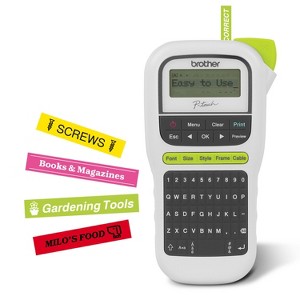
Credit: www.target.com
To help you choose, here is a quick comparison with two other popular label makers:
| Model | Max Label Width | Bluetooth/PC Connection | Price Range |
|---|---|---|---|
| Brother PT-D210 | 12mm | No | $30–$40 |
| DYMO LabelManager 160 | 12mm | No | $25–$35 |
| Brother P-touch Cube | 12mm | Yes | $45–$60 |
The DYMO LabelManager 160 is similar in price and function, but users report the PT-D210 has more symbols and templates. The P-touch Cube offers Bluetooth connection, but it costs more and relies on your smartphone for printing.
An extra insight: The PT-D210 cuts labels with less tape margin than some competitors, saving tape over time.
It uses Brother TZe laminated tapes. These are available in various colors and widths up to 12mm.
Yes, you can use AAA rechargeable batteries. An optional AC adapter is also available.
Yes, labels made with TZe tape are waterproof, fade-resistant, and can handle sunlight.
A standard 8m tape prints about 25–30 average labels, depending on label length.
Most packages include one starter tape. For larger projects, buy extra tapes.
The Brother P-touch PT-D210 is a smart buy for anyone who wants quick, reliable labeling without technical headaches. Its mix of simplicity, durability, and affordability makes it a standout for home and office use. While it lacks wireless features, it covers the basics better than most. If you want a dependable label maker for everyday organization, the PT-D210 is one of the best choices on Amazon today.